Why I’m building this
I only ride structured workouts. I don’t use Zwift or Rouvy. I just connect my phone to my sensors and ride the workout.
If I want to watch a video or use navigation at the same time, I have to open a second phone or an iPad. That’s why I’m building Trainer Banner.
This is already verified on an iPhone 17 Pro Max: when the workout is in the banner and Safari is in front, the countdown keeps updating.
The app is in active development and is not on the App Store yet.
What’s working today
- Workout player. Start, pause, and skip a segment. Intensity can be adjusted between 50% and 150%. Ramps are supported.
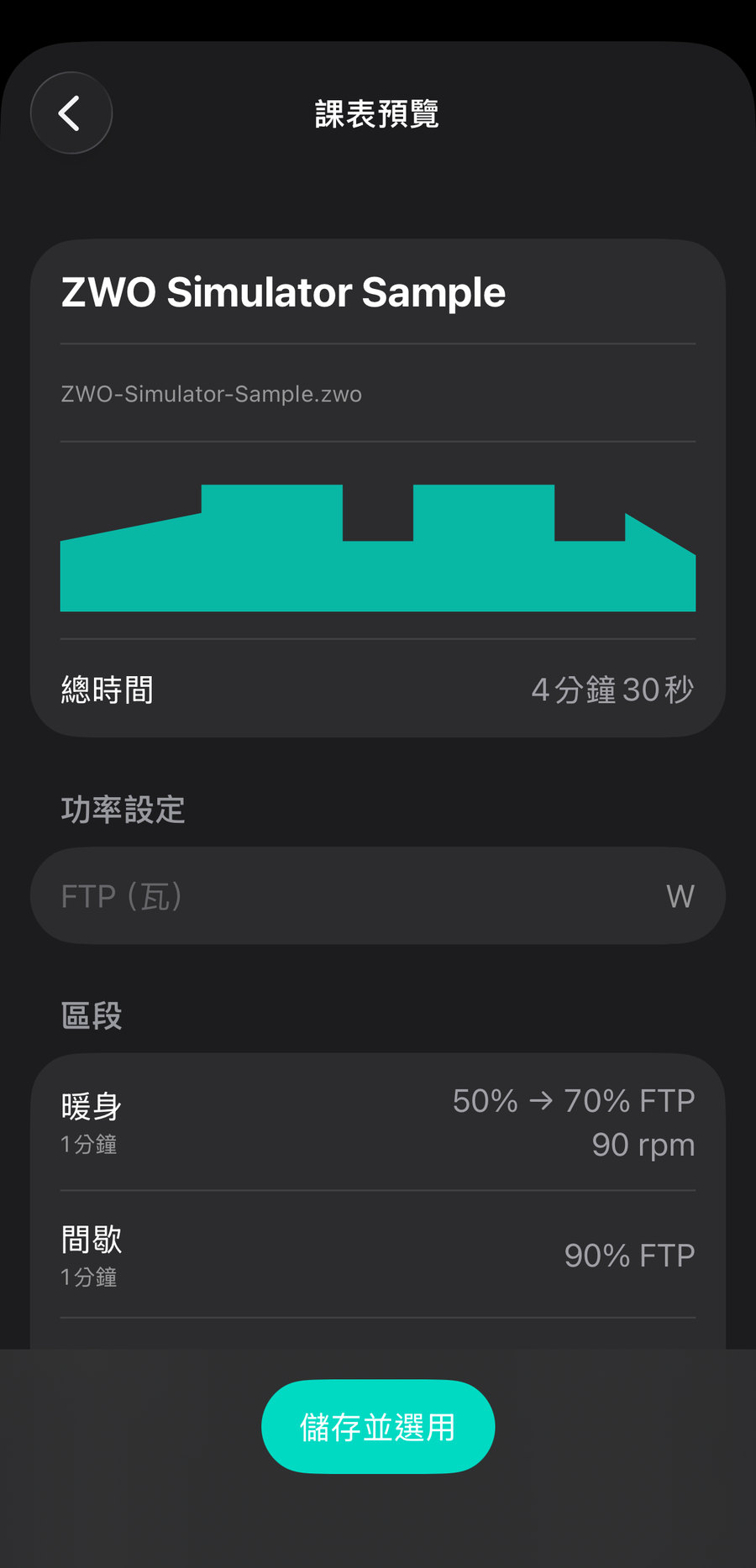
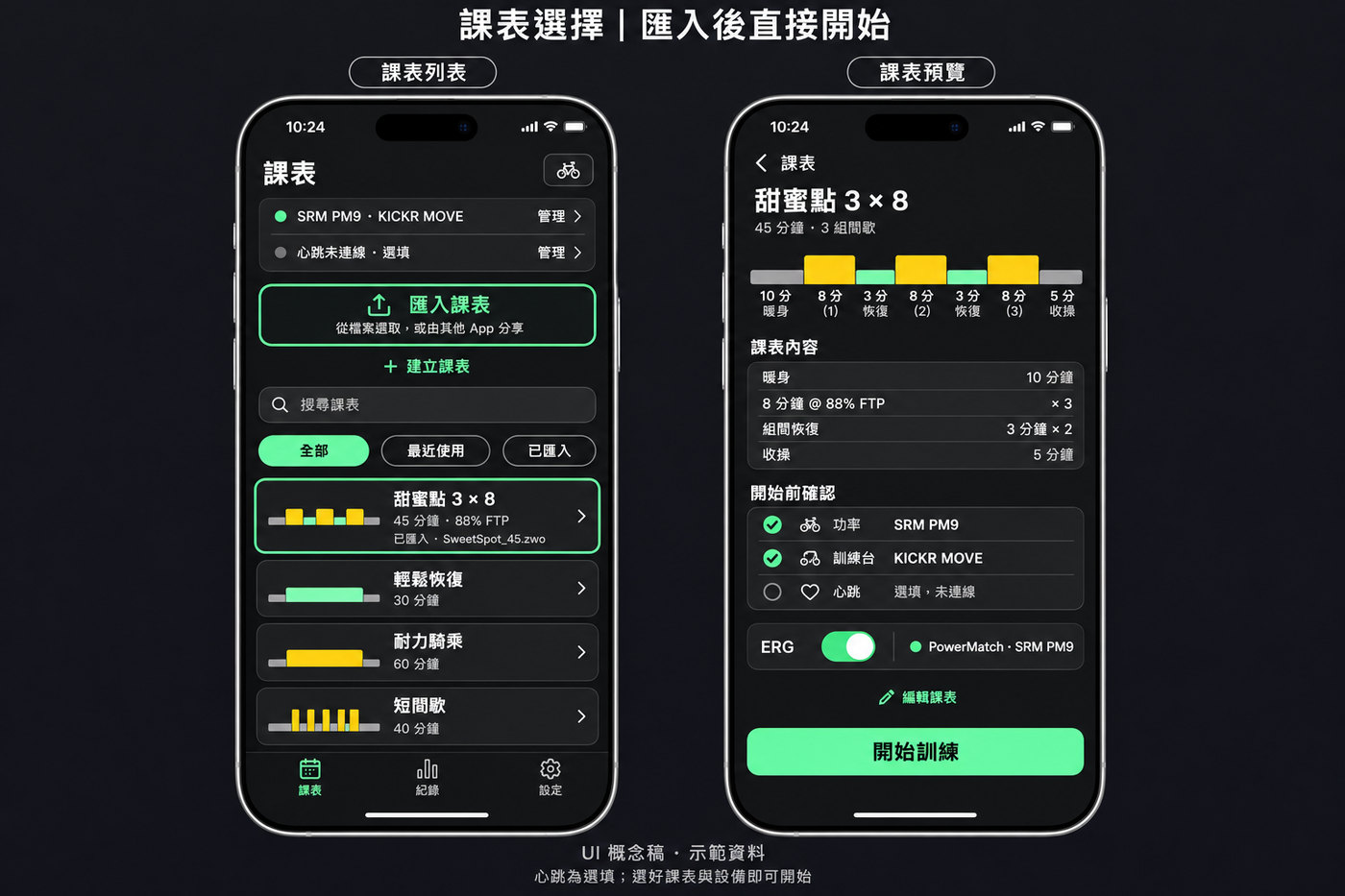
- Workout import. Import a
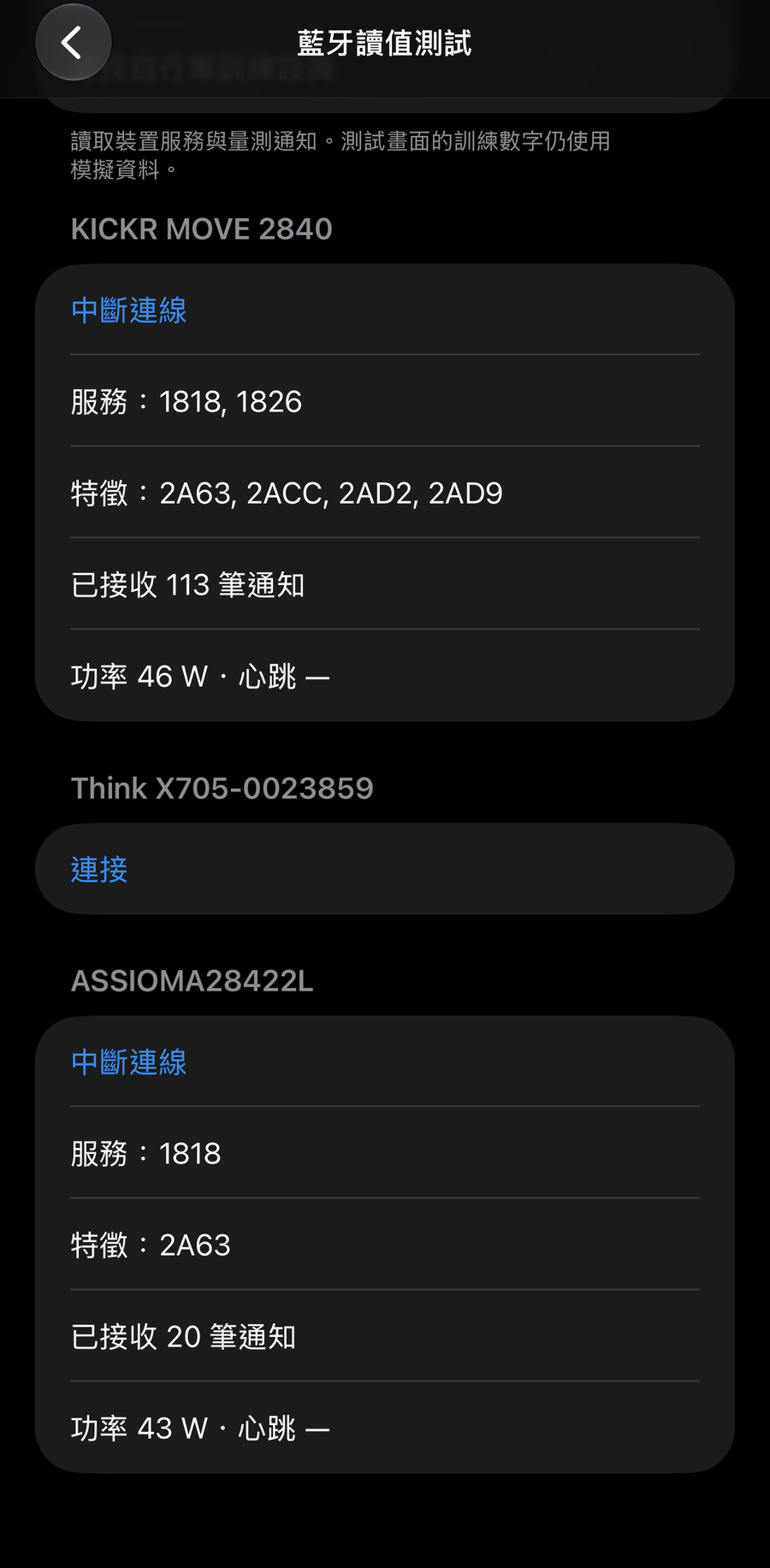
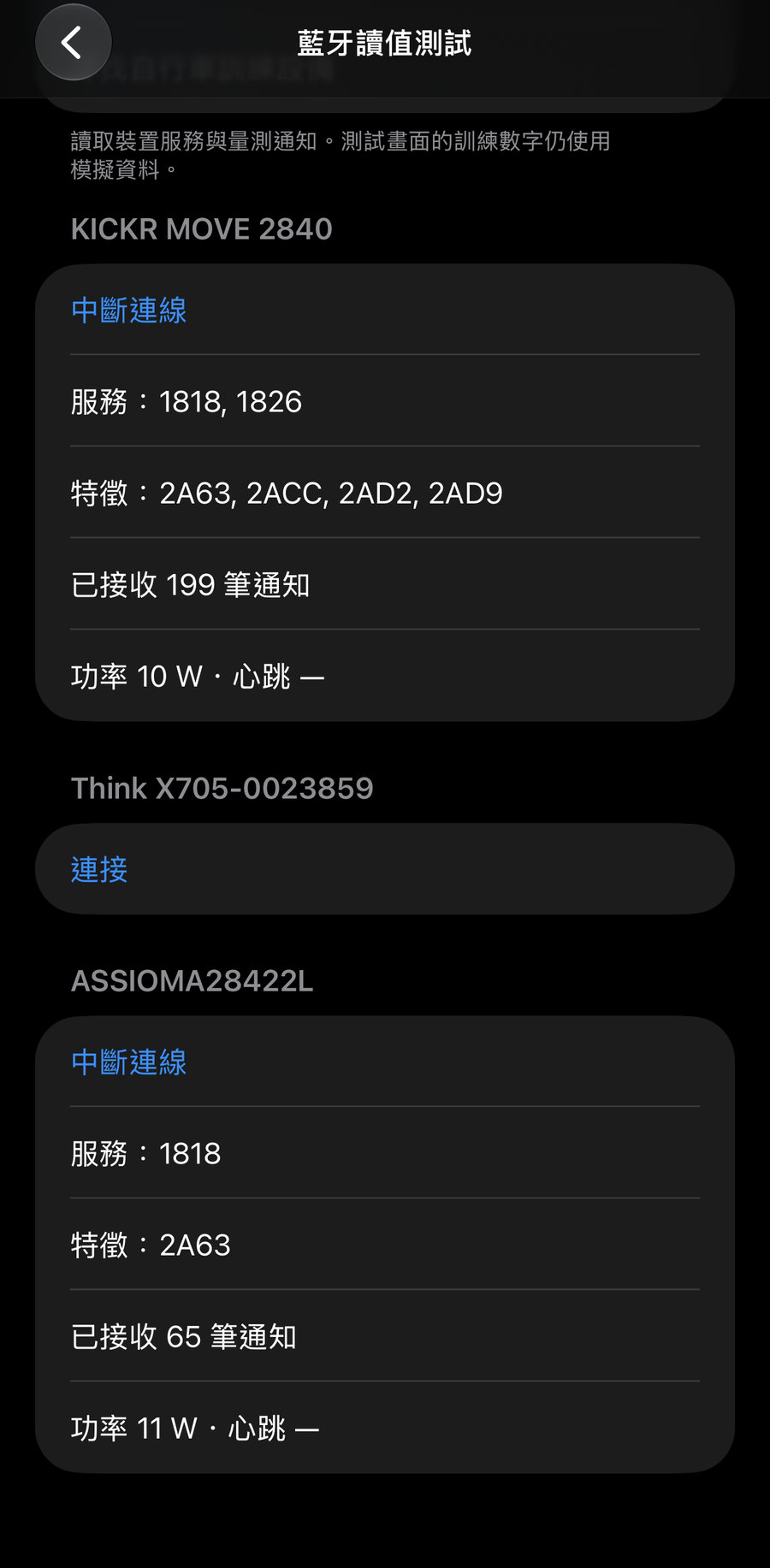
.zwofile, preview the power chart, enter your FTP, and keep a library on the device for offline use. - Bluetooth, on real hardware. Live power readings have been received from a Wahoo KICKR MOVE smart trainer (Cycling Power 0x1818 and FTMS 0x1826) and a Favero Assioma power meter (Cycling Power 0x1818).
Trainer control in ERG mode, activity recording, and Strava are not built yet. I am not claiming them here.
Why I’m asking TrainerDay for an API key
Riders should be able to search TrainerDay public workouts in the app — for example “Whiteleaf +5%” — and import them, instead of leaving the app to find a file.
The use I have in mind is narrow and read-only:
- Public workouts only. No TrainerDay user login.
- Low volume: search, then import the workout a rider actually chose.
- Credit TrainerDay and the workout authors in the app.
- No bulk harvesting of the catalog.
Workouts provided by TrainerDay. Trainer Banner is an independent app and is not affiliated with TrainerDay.
Where the product is heading
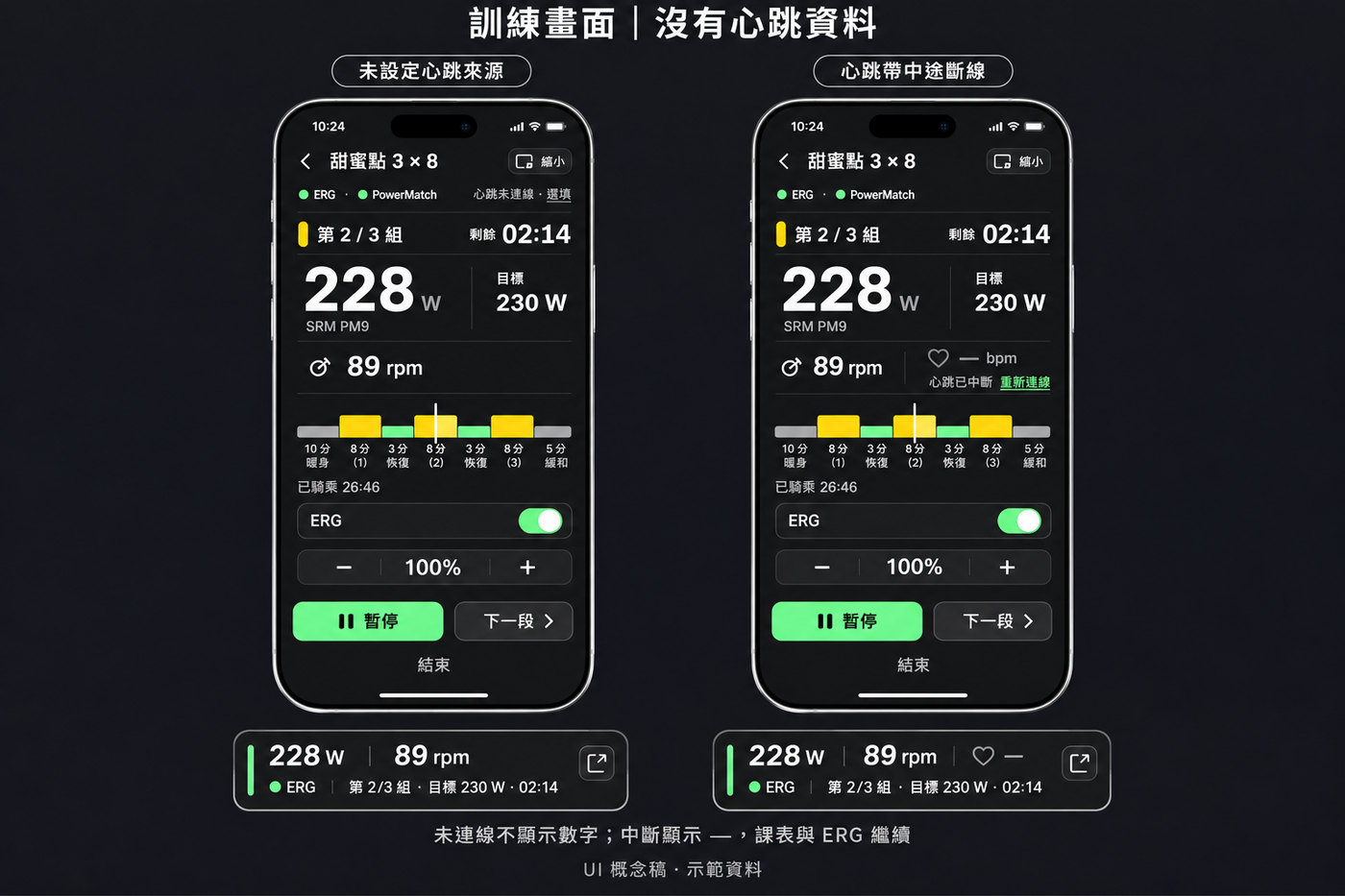
The screens below are concept design, not the shipping UI. They show the direction for the ride screen, the shrink-to-banner state, and a workout library with import front and center.
Privacy
No ads. I don’t sell personal data. Workout data is used on the device.